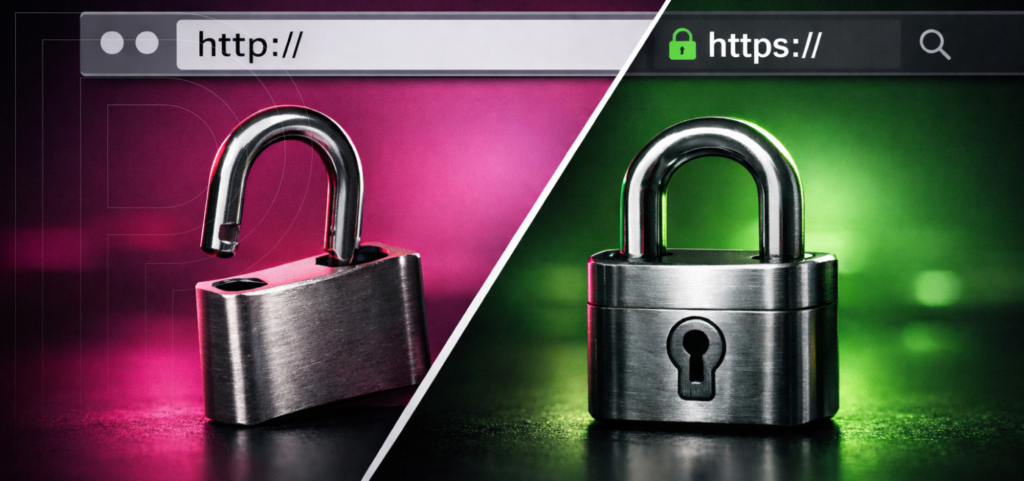
Every time someone loads your website, whether it’s a homepage, a product page, or a WordPress login screen, there’s a conversation happening behind the scenes between their browser and your server. That conversation follows a protocol, and for most of the web’s history it was HTTP: the Hypertext Transfer Protocol. HTTP is essentially the set of rules that lets browsers request resources (pages, images, scripts) and lets servers respond with what was asked for. You can think of it as the “language” of web traffic.
HTTPS is HTTP with an important upgrade: the connection is protected using TLS (Transport Layer Security). In other words, HTTPS is HTTP traffic traveling through an encrypted tunnel. The “S” in HTTPS is commonly described as “Secure,” but what it really signals is that data is being encrypted in transit and that the visitor’s browser can verify it’s actually talking to the right server.
The difference between HTTP and HTTPS is about more than just the padlock icon in the address bar. It affects how safe your users are when they fill out forms, log in, or make purchases. It also changes how browsers handle your pages, what features you can use, and how search engines judge your site’s quality.
If you run a WordPress site (especially one with logins, eCommerce, membership areas, or any kind of lead capture), the choice between HTTP and HTTPS isn’t just technical trivia. It’s part of your site’s credibility, performance posture, and long-term maintainability.
Key Differences Between HTTP and HTTPS
Security Features
The main difference is simple: HTTP does not encrypt data, while HTTPS does.
With HTTP, information travels “in the clear.” That means anything sent between a visitor and your server (URLs, form submissions, cookies, session tokens) can potentially be intercepted or altered by someone who can observe the connection (like a public Wi‑Fi network or along certain network paths). Even if the content itself isn’t sensitive, attackers can still inject malicious scripts or redirect traffic.
HTTPS uses TLS to provide three major protections:
- Encryption: Data is scrambled in transit so eavesdroppers can’t read it.
- Integrity: TLS helps prevent data from being modified between the browser and server.
- Authentication: Certificates help confirm the site a user reached is the site they intended to reach.
Authentication is more important than most people think. It helps prevent phishing and fake site attacks from happening easily.
If you manage your site’s headers, you should know about HSTS. It tells browsers to always use HTTPS for your domain.
Performance and SEO Impact
In the past, HTTPS was thought to be slower because of the extra work encryption requires. Today, that difference is mostly gone, and in some cases, HTTPS can even help your site’s performance.
Here’s why: many modern web performance improvements are tightly coupled with HTTPS. Protocols like HTTP/2 (and now HTTP/3/QUIC in many stacks) are widely deployed in secure contexts and can improve throughput, reduce overhead, and make better use of a single connection.
For SEO, HTTPS doesn’t automatically boost your rankings, but it does remove risks and barriers. Search engines prefer to send users to sites that are trustworthy and work smoothly. If a browser marks your page as “Not Secure,” visitors may leave. If people are unsure about filling out forms, you’ll see fewer conversions. If your checkout or login looks unsafe, users may not continue.
Beyond search rankings, HTTPS affects how your pages appear in modern browsers and how some features work, such as secure APIs. Today, HTTPS is the standard for a fast and reliable web experience.
Importance of HTTPS for Website Owners
If you have a website, enabling HTTPS is an important part of making a good first impression for your brand.
Browsers have taught users to notice when a page is marked as “Not Secure.” This warning can be especially harmful on pages where trust is important, like checkouts, lead forms, client portals, logins, or even a contact form. People might not know what TLS is, but they do notice warning messages.
HTTPS protects important parts of WordPress, like authentication cookies, admin sessions, and user credentials. Running /wp-admin/ or /wp-login.php over HTTP is risky. If your editors log in from places like coffee shops, airports, or coworking spaces, the danger is real.
Switching your site fully to HTTPS also makes management easier. You’ll avoid issues like mixed content warnings, blocked scripts, forms that don’t work, and third-party tools acting differently depending on the protocol.
Today, vendors and platforms expect sites to use HTTPS. Payment processors, content providers, and many APIs require it or work better with it. If your WordPress site is part of a bigger marketing or commerce system, using HTTPS everywhere will save you time on troubleshooting.
WordPress-specific note: if you’re migrating an existing site, WordPress has a helpful guide on what changes and where to check settings: HTTPS for WordPress.
How HTTPS Affects SEO Rankings
Google’s Priority on HTTPS
Google has promoted HTTPS for years and sees it as a sign of quality. However, just turning on HTTPS won’t instantly boost your rankings. SEO depends on many factors, but HTTPS is a key foundation that supports your other efforts.
From a search engine’s point of view, HTTPS aligns with user safety. It reduces the chance that content is tampered with in transit, and it helps protect users on networks you don’t control. Google has also made it clear that HTTPS is a ranking signal and has encouraged site owners to move toward encryption broadly. If you want the historical context straight from Google, their Search Central post is still referenced often: HTTPS as a ranking signal.
Besides being a ranking factor, HTTPS helps SEO in other ways. It leads to better user engagement, fewer browser warnings, and smoother experiences. These improvements can add up over time.
In short, HTTPS doesn’t replace good content or technical SEO, but it removes a trust barrier that both search engines and users now expect you to overcome.
User Trust and Engagement
SEO isn’t just about search engines crawling your site. It’s also about how real people act when they visit.
If a visitor sees a “Not Secure” warning, they’re more likely to hesitate, leave, or avoid interacting with your site. This leads to higher bounce rates and lower conversions, which can hurt your content and marketing efforts.
HTTPS also helps keep referral data intact. If users move from HTTPS to HTTP, you can lose referrer information, making it harder to track where your traffic comes from. Using HTTPS everywhere makes measurement and attribution easier.
There’s also the human side: trust. Even if visitors don’t think about encryption, seeing a secure URL and a normal browser interface makes them feel safer. They’re more likely to browse, click, and come back.
If you run a WordPress site where user experience matters, building confidence isn’t just a nice extra. It leads to more revenue, leads, and loyal visitors.
When to Use HTTP and HTTPS
For most websites today, the best approach is to use HTTPS everywhere.
There are still a few narrow cases where plain HTTP might appear:
- Local development environments
- Internal networks
- Legacy systems that aren’t exposed to the public internet
For example, you might use HTTP for a local WordPress install on your laptop when working on themes, since it never leaves your computer. Some internal tools might also use HTTP behind a firewall, although this is less common now as zero-trust networking becomes more popular.
But for any website that the public can access, HTTPS should be the default. This includes:
- Marketing sites and landing pages
- Blogs and content hubs
- Any login, membership, or customer portal
- eCommerce and payment flows
- Forms of any kind (contact, quote requests, newsletter signups)
- WordPress admin and API endpoints (REST, XML-RPC where applicable)
A common misconception is, “My blog doesn’t collect sensitive data, so HTTP is fine.” The issue is that browsing behavior itself can be sensitive, and HTTP can expose what pages a person viewed, what they searched for on your site, and what links they clicked. Plus, attackers don’t need you to be a bank to cause harm. They can inject ads, malware, or redirect traffic.
If you’re moving an older site from HTTP to HTTPS, make sure to do it thoroughly. Redirect all traffic, update canonical URLs, and check that all assets load securely to avoid mixed content issues. This one-time project will make your site more secure, easier to use, and simpler to maintain.
In summary, use HTTP only for private, controlled situations. For anything your customers can access, HTTPS is the new standard.
Implementing HTTPS on Your Website
Getting an SSL Certificate
To set up HTTPS, you need a TLS certificate, which is still often called an “SSL certificate” even though SSL is outdated. A Certificate Authority (CA) issues these certificates to prove your server can represent your domain.
Most WordPress sites only need a Domain Validation (DV) certificate. What matters most is that it’s issued, installed, and renewed correctly. Many site owners use free, automated certificates from Let’s Encrypt, which has made HTTPS much easier to adopt.
After getting your certificate, test your site’s public setup to find any weak ciphers or mistakes. SSL Labs’ SSL Server Test is a popular tool for this. If you need to adjust settings, Mozilla’s SSL config generator is very helpful.
Setting Up HTTPS
When you set up HTTPS, aim for a smooth and consistent rollout.
Start by installing the certificate and ensuring your server responds on port 443. Then:
- Redirect all HTTP traffic to HTTPS with permanent (301) redirects.
- Update WordPress settings so the “WordPress Address” and “Site Address” use https://.
- Fix mixed content by updating hard-coded asset URLs in themes, plugins, and your database.
- Update canonical tags, sitemaps, and any CDN or proxy settings so everything points to HTTPS.
- Consider enabling HSTS once you’re confident HTTPS is stable.
Finally, double-check important parts of your site, like logins, checkouts, forms, and third-party scripts. Your goal is to have HTTPS everywhere, with no warnings or unexpected issues.
Conclusion
HTTPS has gone from “nice to have” to the expected foundation of a professional website. It protects your users, reduces the chance of tampering, improves how browsers treat your pages, and supports stronger SEO and conversion outcomes over time. Just as importantly, it simplifies your operational life: fewer edge-case bugs, fewer scary warnings, and a clearer baseline for performance work.
If you’re running WordPress at a serious scale or you simply want HTTPS handled correctly without the usual headaches, managed hosting can make the difference between “we enabled it” and “we enabled it, validated it, and never worry about renewals or regressions.” If you’d like to see what that looks like in practice, Pagely’s managed WordPress hosting is built for secure, high-performing sites that can’t afford downtime or duct-tape fixes.